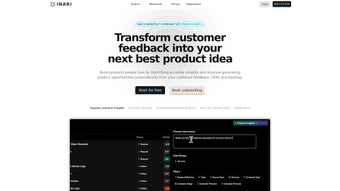

Download Inari – AI Copilot for Business Efficiency
Overview
Inari is a cloud‑native AI copilot designed to accelerate decision‑making and streamline everyday workflows for modern businesses. Powered by OpenAI’s GPT‑4, the platform understands natural‑language queries, pulls data from dozens of integrated SaaS tools, and delivers concise, context‑aware responses in real time. Whether you need a quick summary of quarterly revenue, a polished draft of a product brief, or an automated set of meeting minutes, Inari acts as a reliable digital teammate that never sleeps.
Its contextual engine remembers the conversation flow, so follow‑up questions don’t require you to repeat details. This reduces the cognitive load on users and eliminates the tedious back‑and‑forth that typically slows down collaboration. Inari’s architecture emphasizes security: all traffic is encrypted with TLS 1.3, data at rest uses AES‑256, and role‑based access controls ensure that only authorized personnel can query sensitive repositories.
The platform also complies with GDPR, CCPA, and SOC 2, making it a safe choice for enterprises handling regulated data. By centralising knowledge, automating repetitive drafting tasks, and offering instant analytics insights, Inari empowers teams to focus on strategic thinking rather than manual data gathering. The result is a measurable boost in productivity, faster time‑to‑insight, and a competitive edge in fast‑moving markets.
For startups seeking rapid scalability, mid‑size firms looking to reduce operational overhead, or large enterprises aiming to democratise AI across departments, Inari provides a secure, flexible, and easy‑to‑adopt solution that fits seamlessly into existing tech stacks.
Key Features That Drive Business Productivity
- Semantic Cross‑Platform Search: Pose natural‑language questions and retrieve data from CRM, project management, cloud storage, and internal wikis in a single, unified view.
- AI‑Generated Drafts: Instantly create meeting agendas, status reports, product specifications, and email templates with one prompt, reducing writing time by up to 70%.
- Customizable Departmental Agents: Build agents tailored to finance, sales, product, or HR, each speaking the specific terminology and accessing the right data sources.
- Context‑Aware Follow‑Ups: The copilot retains conversation context, allowing you to ask follow‑up questions without re‑entering background information.
- Native Integration Hub: Pre‑built connectors for Slack, Microsoft Teams, Google Workspace, Asana, Jira, Salesforce, HubSpot, Notion, and many more, plus a low‑code API for bespoke systems.
- Enterprise‑Grade Security: End‑to‑end encryption, role‑based permissions, and compliance certifications protect proprietary data throughout the AI workflow.
- Real‑Time Analytics & Visualisations: Ask “What was our month‑over‑month growth for product X?” and receive charts, tables, and narrative explanations instantly.
- Collaboration Mode: Multiple users can co‑author documents with AI suggestions appearing live, fostering teamwork without leaving the primary workspace.
Installation, Setup, and Compatibility
Because Inari is delivered as a SaaS platform, there is no traditional download or installation process. Getting started involves creating an account, linking your existing tools, and configuring optional custom agents. The entire onboarding flow can be completed in under 15 minutes, even for organizations with complex tech stacks.
- Create an Account: Visit inari.ai/signup, register with your business email, and confirm the verification link. A free tier supports up to five users and includes core features.
- Connect Your Applications: In the “Integrations” dashboard, select the services you want Inari to access (e.g., Slack, Google Drive, Salesforce). Authorisation uses OAuth, completing each connection in seconds.
- Configure Custom Agents: Navigate to the “Agents” tab, click “Create New Agent,” and define the domain, data sources, response tone, and privacy level. This step tailors the AI’s output to departmental needs.
- Set User Permissions: Assign roles (Admin, Editor, Viewer) in “Team Settings.” Permissions control which data repositories each user can query, ensuring compliance with internal policies.
- Start Using Inari: Open any connected workspace, type
/inari(or click the browser extension), and ask your first question. The AI responds directly within the conversation thread, eliminating the need to switch apps.
Inari runs completely in the browser, making it compatible with Windows 10/11, macOS Ventura and later, major Linux distributions, Android 9+, and iOS 14+. Its responsive design ensures a consistent experience on desktops, laptops, tablets, and smartphones, so teams can stay productive whether they’re at a desk or on the go.
Conclusion – Pros, Cons, Frequently Asked Questions, and How to Get Started
Overall Rating: 4.6/5
Pros
- Deep semantic search eliminates hours of manual data hunting.
- AI‑generated drafts are high‑quality and require minimal editing.
- Customizable agents provide department‑specific, context‑rich answers.
- Zero‑install, browser‑based access works on any device.
- Robust security, encryption, and compliance safeguards data.
Cons
- Advanced features such as multi‑agent orchestration are limited to higher‑tier plans.
- Initial integration of complex enterprise tools may need IT support.
- Internet connectivity is required; offline mode is not yet available.
- Occasional AI hallucinations can occur when source data is contradictory.
- Non‑technical users may need a brief learning period for effective prompting.
Frequently Asked Questions
Is Inari free to use?
Inari offers a free tier for up to five users that includes core capabilities such as semantic search and AI drafting. Paid plans start at $29 per user per month and unlock advanced features like multi‑agent orchestration and premium integrations.
What applications can Inari integrate with?
Inari connects natively to Slack, Microsoft Teams, Google Workspace, Salesforce, HubSpot, Asana, Jira, Notion, and many other SaaS platforms. Custom API connectors can also be built for proprietary systems.
How does Inari protect my data?
All data in transit uses TLS 1.3 encryption, and data at rest is secured with AES‑256. Role‑based access controls restrict which users can query specific sources, and the service complies with GDPR, CCPA, and SOC 2 standards.
Can Inari be used offline?
Since Inari relies on cloud‑based AI models and live data connections, an active internet connection is required. A lightweight offline drafting mode is on the product roadmap but is not yet available.
How quickly does Inari learn my team’s terminology?
The contextual engine continuously refines its understanding based on user interactions. Within a few days of regular use, Inari begins recognising industry‑specific jargon, product names, and internal acronyms, delivering increasingly accurate responses.
Ready to supercharge your team’s productivity? Download Inari now, start your free trial, and experience how an AI copilot can transform data chaos into actionable insight. Join the growing community of businesses that have already streamlined their workflows with Inari’s intelligent assistance.



.png)



